

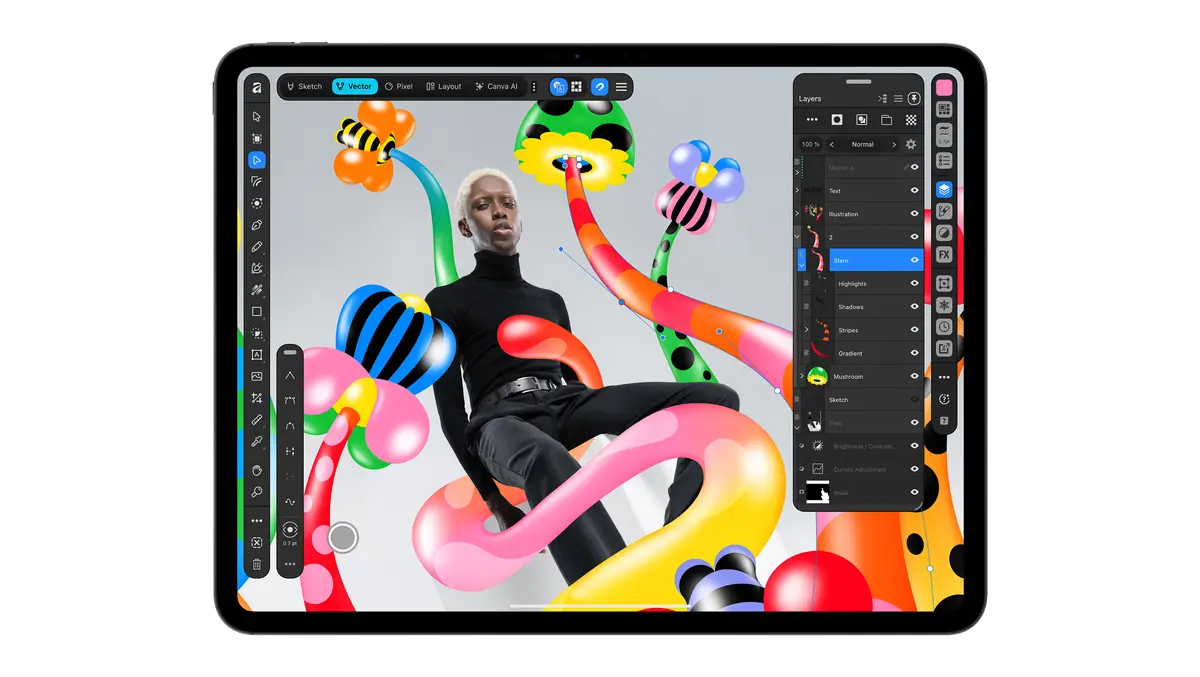

Canva has launched Affinity for iPad, bringing the Affinity design suite to Apple's tablets.
The app combines sketching, vector design, photo editing and page layout in a single product, with Apple Pencil support and compatibility with Affinity's desktop file format. Core tools are free for individual users, while AI features require a Canva premium account.
The launch deepens Canva's push into professional creative software following the integration of Affinity on desktop. Affinity on desktop has recorded more than seven million sign-ups since launching a year ago, according to Canva.
Duncan Clark, Chief Executive Officer of Pro Design at Canva, said the app answers demand from existing users for an iPad version.
"Creative work doesn't stay in one discipline, so your tools shouldn't either," Clark said. "Since we brought Affinity together on desktop, our biggest user request has been to bring it to iPad. Today we're delivering it: a fully fledged, professional app built for touch."
The app is built around a single .af file, allowing users to move between sketch, vector, photo and layout work without exporting or converting files between separate programs. Edits remain non-destructive and render in real time within the same document, Canva said.
Touch design
A new Sketch Studio sits at the centre of the iPad release. It is designed for freehand drawing and for turning rough sketches into vector artwork, with features including Sketch to Shapes and controls tailored to Apple Pencil input such as pressure and tilt.
Beyond drawing, the app includes tools for logo and icon design, RAW photo editing, masking, retouching and multi-page layout work for projects such as lookbooks, photo books and zines. Projects can be taken through to print-ready output on the iPad alone, according to Canva.
Canva also highlighted a Mask Tool for selecting difficult edges in images, such as hair or foliage, by tracing with Apple Pencil. The app can handle large files with many editable layers while keeping every mask, grade and retouch live and reversible, it said.
AI tools
Affinity for iPad also introduces AI features through Canva AI Studio. These include Generative Expand for adjusting an image to a new format, tools for enlarging low-resolution source material, motion blur reduction, noise reduction and Decompose Layer, which separates a flat image into editable layers.
Canva said these functions are intended to remove repetitive production work while keeping manual control with the user through live settings and real-time rendering. The tools are meant to support the creative process rather than replace it, the company said.
The launch is another step in Canva's effort to cover both mainstream visual communication and specialist design workflows in one portfolio. Affinity has had an iPad presence since 2017, when Affinity Photo was named Apple's iPad App of the Year, and Canva said the new release builds on feedback from designers, illustrators and photographers, including members of its Designer Advisory Board and wider creative forums.
Neil Ladkin, Head of Product Design at Affinity, said the team focused on making the software feel native to the iPad rather than adapting a desktop interface.
"Affinity has built groundbreaking tools for iPad for almost a decade, and our community has shaped every step," Clark said. "This is the result of everything we've heard and learned, worked over until every gesture and panel felt right under the hand."
Ladkin added: "Affinity for iPad delivers the full power of Affinity, together with the versatility and portability of iPad. Every development decision was made by people who create on iPad themselves, from how the Apple Pencil responds to where the tools sit. If you're the sort of person who rotates the canvas 40 times to get one line right, Affinity for iPad was made by people who've done exactly that."